DOC –
Health Services:
The Users
Role
Sole Designer
Client
DoctorOnCall
The Scope
Built a Health Services platform from the ground up. Patients can choose between different packages, set appointment times, and go for checkups. The aim was to create a seamless experience for providers and patients equally — going through the existing legacy system and redesigning it to address real user pain points.
My Role
As the sole designer responsible for this project, I spearheaded the Health Services users module. While teammates were simultaneously building the Products section of the e-commerce platform, I kept equal attention to how that work would impact the Services module.
I conducted user research for both providers and patients, produced wireframes, user flows, and mockups, and created a design system for wireframes and hi-fidelity mocks. I also supervised development across front and back end.
Legacy System Analysis
Since DOC already had an existing system, I collected data points from quantitative analysis via Hotjar and Google Tag Manager — studying user behaviour when interacting with the legacy platform. The primary pain points centred on a limited range of services and a poor user interface. Methods used included existing user surveys and post-purchase feedback.
Step 1 — Market Research
I analysed leading competitors in the healthcare space to benchmark features and identify gaps DOC could address.
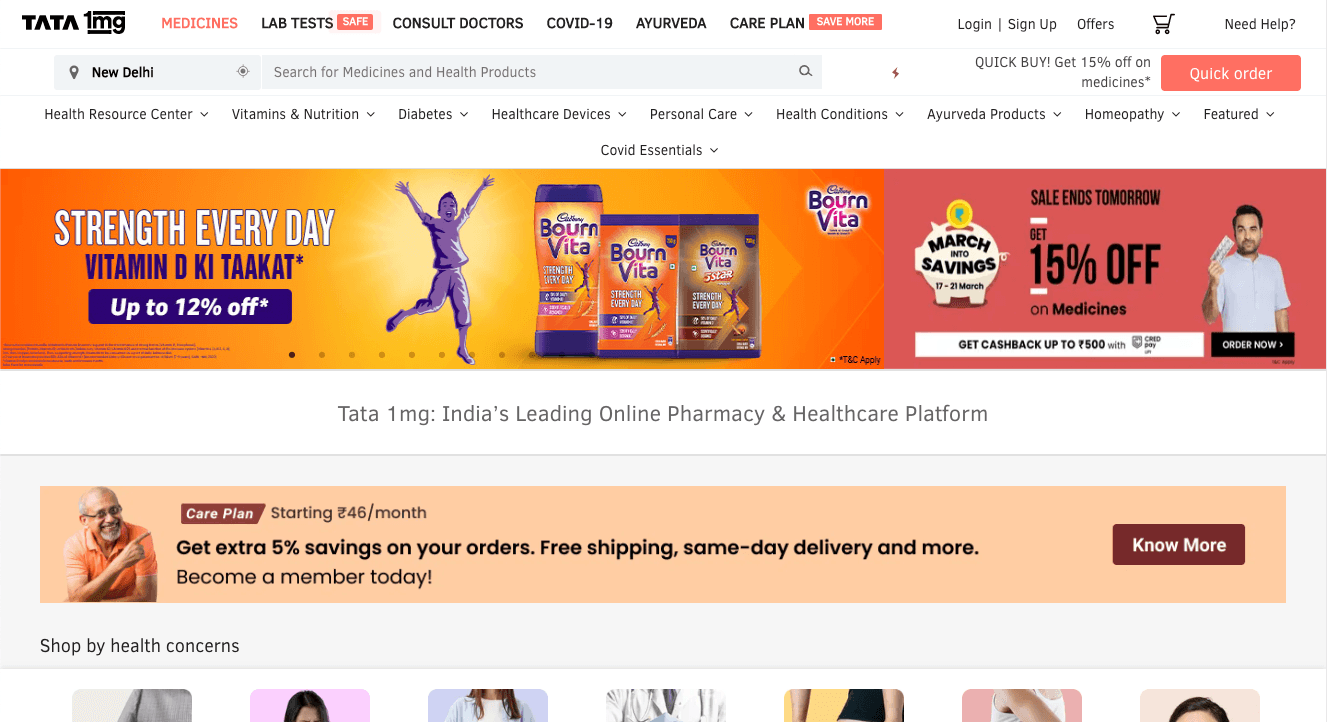
1MG
One of the most comprehensive websites in Healthcare & Lab Tests
Pros
- Comprehensive selection of packages by organ, body part, or condition
- Flexibility to add individual tests
- Free doctor consultation & online reports
- Compare packages, book from prescription
Cons
- No questionnaire based on user symptoms
- No recommended tests
- No live chat
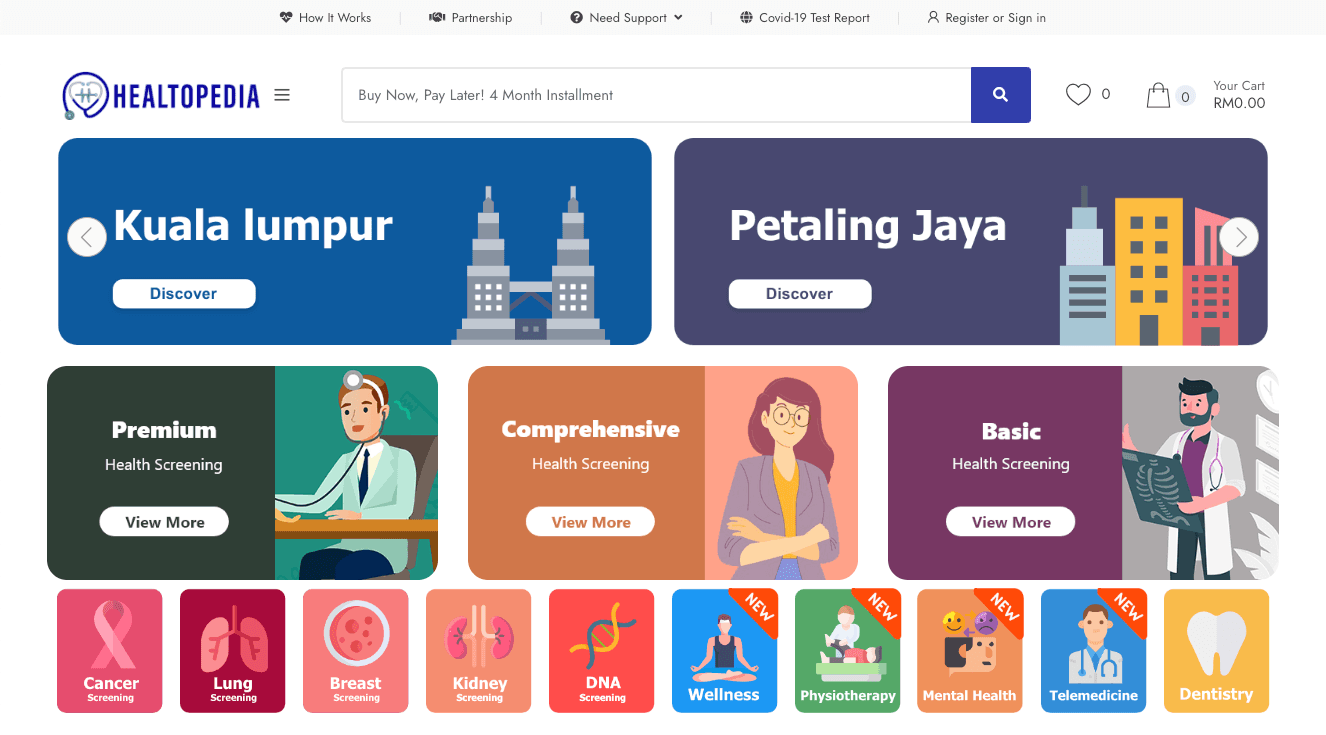
Healtopedia
Pros
- Good categorisation by organ (though some return no results)
- Categorisation by conditions & states (mental health, physiotherapy)
- Online chat
Cons
- Some organ categories return no results (e.g. Breast, Lungs)
- Limited package flexibility
Other Providers Reviewed
BP Healthcare · Sehatq (Indonesia) · Gleneagles Hospital Malaysia · Lifecare
Step 2 — User Research
I reviewed current user data and heatmaps on the legacy website through Hotjar and Google Tag Manager. Quantitative data showed our user base ranges from 30–50 years old, with a 60% female and 40% male split.
I then interviewed around 10 users in that age group to study what they look for when thinking about their healthcare needs. Severely niche concerns were discarded, and 3 user personas were synthesised from the research.
Step 3 — User Personas
Joya Singh
52 · Arts TeacherGoals
Wants to keep herself and her husband healthy.
Challenges
Little experience navigating the healthcare system, bad experiences with doctors, easily overwhelmed by the number of tests, on a tight budget.
Tech Habits
Spends a lot of time on Facebook, looks for recommended doctors and clinics there, enjoys YouTube videos, prefers email and text over phone calls.
Walter
43 · Self-EmployedGoals
Tries to stay one step ahead, especially in matters of health.
Challenges
Lots of online experience with symptoms and tests, consults a doctor friend, maintains a separate healthcare budget, keeps a list of nearby specialists — but has very little free time.
Tech Habits
Uses Google extensively for research, reads blogs, makes decisions based on online reviews and suggestions.
Erica
30 · ManagerGoals
Get professional medical help easily and be diagnosed early.
Challenges
Dealing with hypertension and weight management, planning to get pregnant, caring for aging parents, mildly tight budget, very busy schedule.
Tech Habits
Shops online regularly, avid WebMD browser, reads health blogs.
Step 4 — Improvements Based on Personas
- Personalised content
- Clear reasoning of why users should choose DOC for healthcare services
- Flexibility to choose packages — adding or removing additional tests
- Recommendations based on current and past conditions or symptoms
- Better segregation and definition of categories
- Improved chat options
- Reviews of packages, providers, and doctors
- Quality blog content
- Online reports
Step 5 — Wireframes
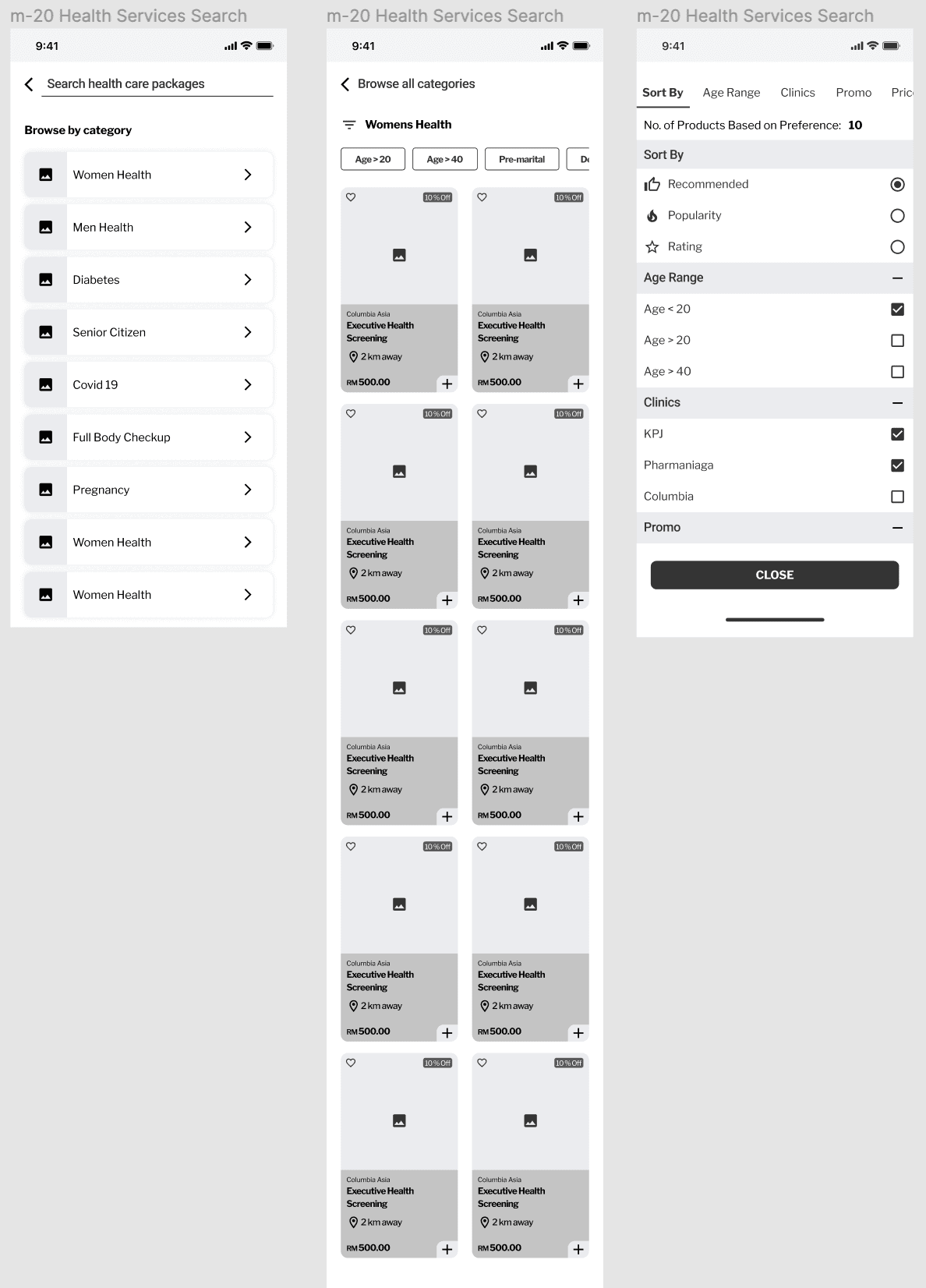
Category Structure & Sort Feature
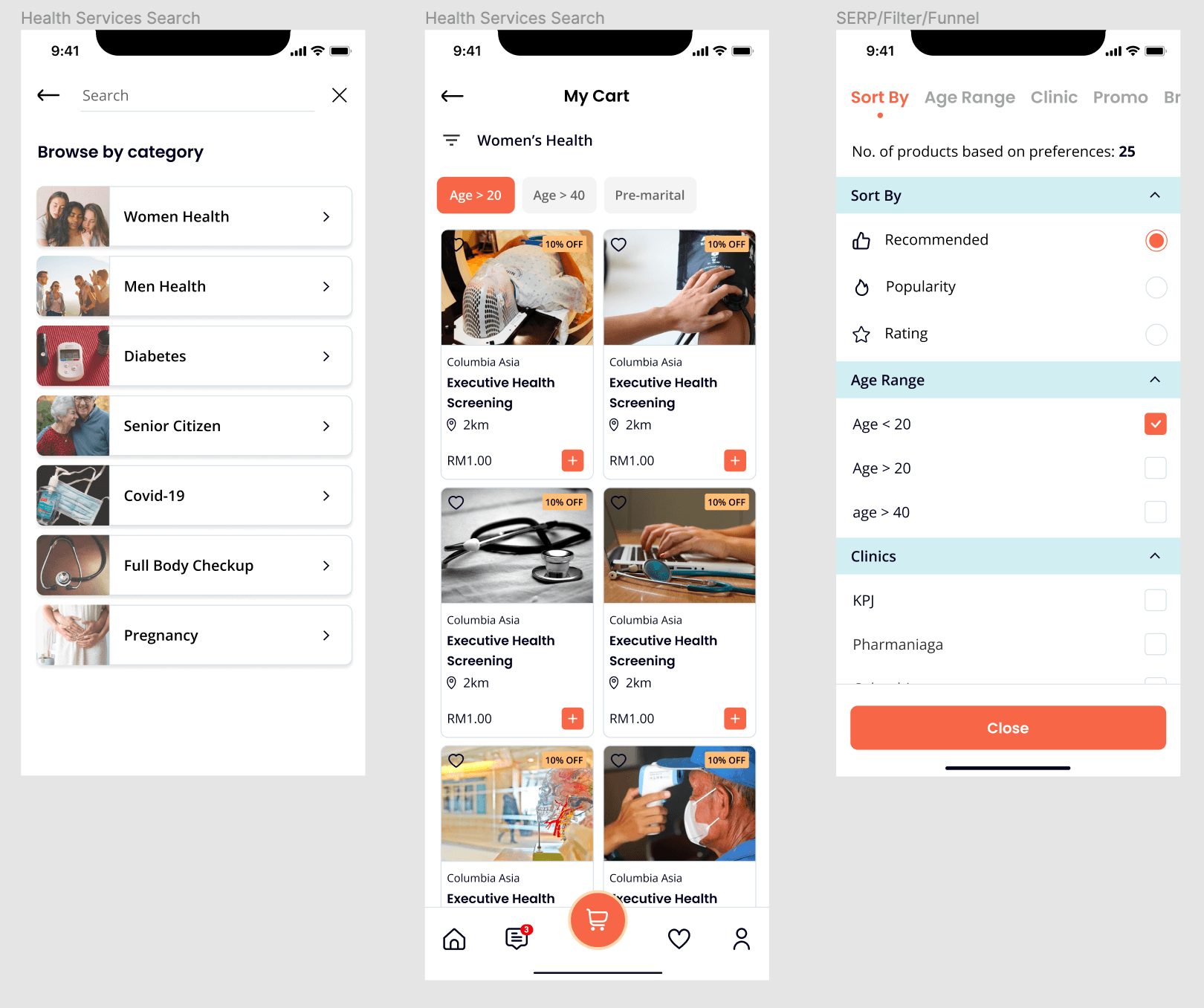
A browse-by-category feature to help users with little knowledge navigate the healthcare landscape. The back end required building a rigorous category structure — every package must fall under a pre-defined category. For packages spanning two categories, a product tag feature was introduced so providers can tag a package under multiple categories.
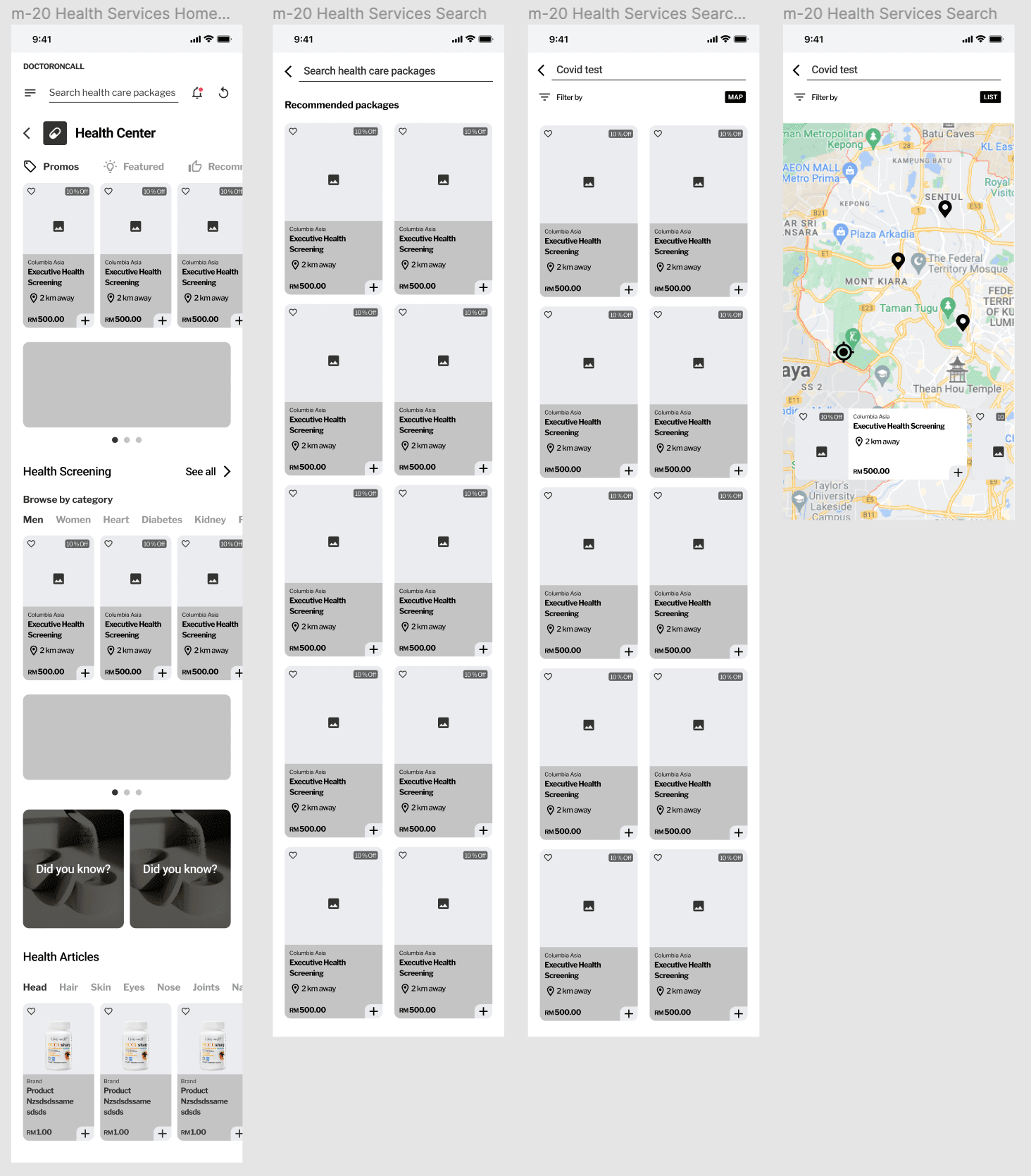
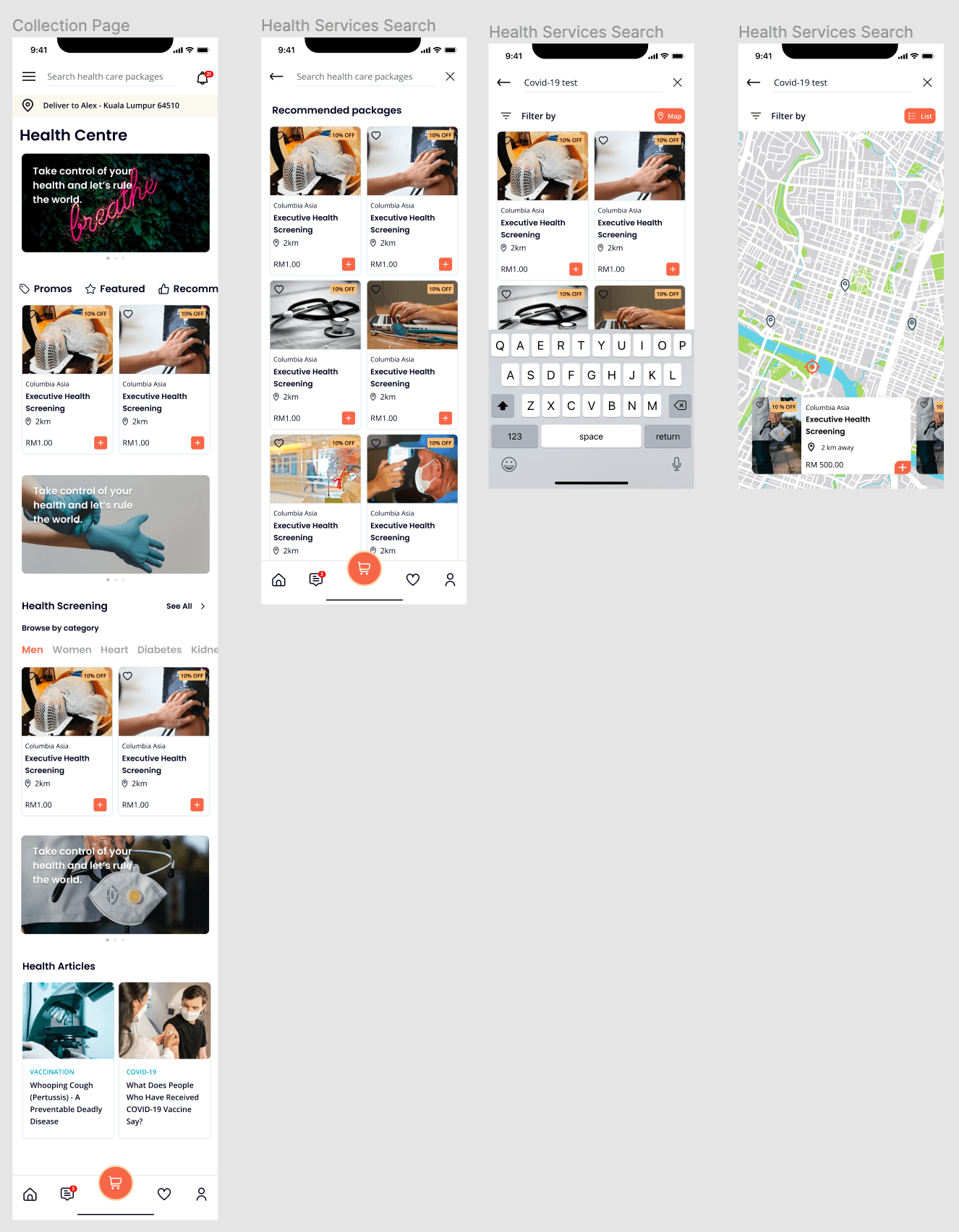
Home / Search / List & Map View
Map view was a unique finding from user research — patients wanted to select clinics based on proximity. We added a map view alongside the standard list view.
Product & Cart Page
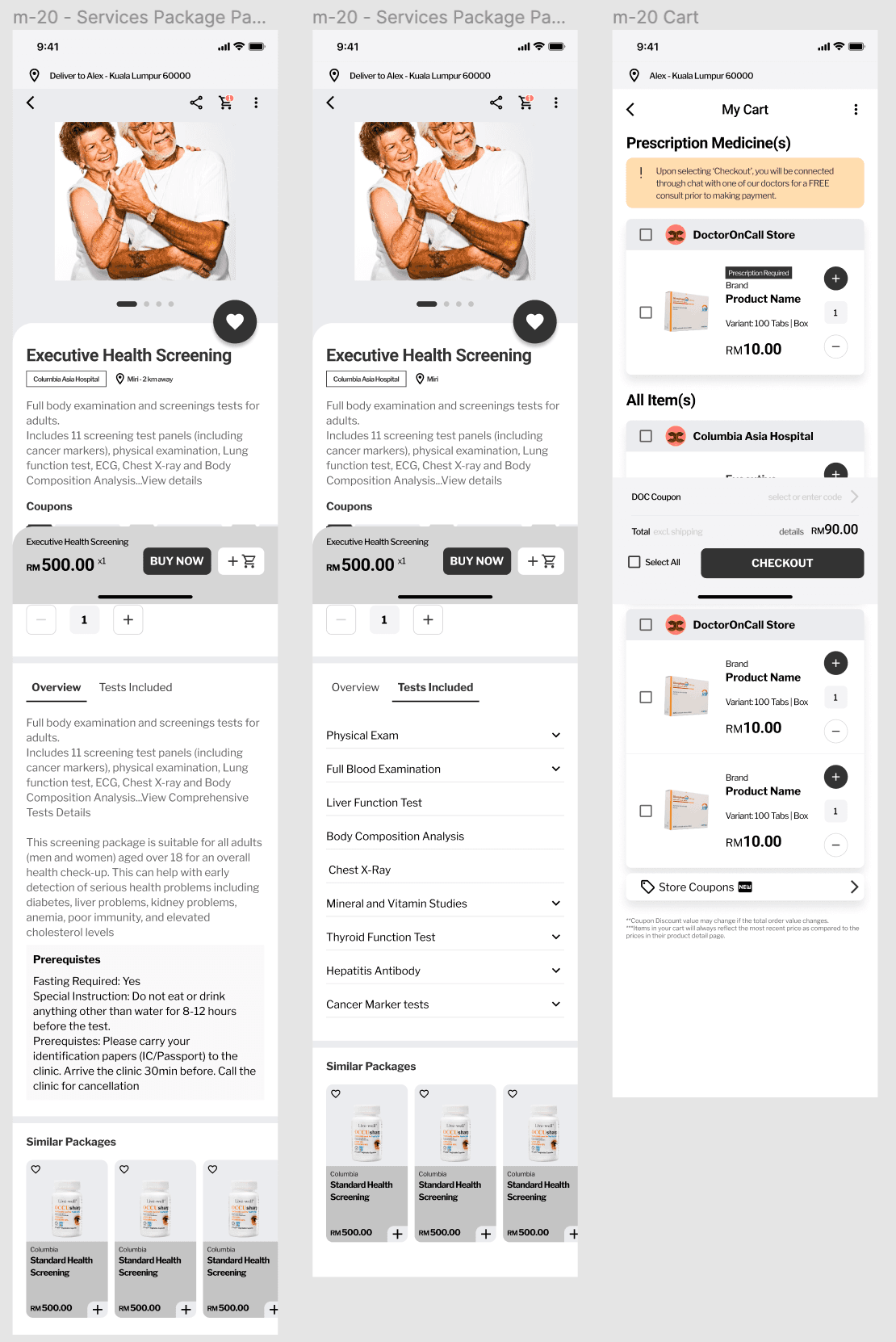
Step 6 — Getting User Feedback
I showed the detailed wireframes back to the original interviewees and asked whether the design and experience satisfied their goals. They suggested a couple of minor, logical changes — which I incorporated before moving on to the hi-fidelity version.
Step 7 — Hi-Fidelity Prototypes
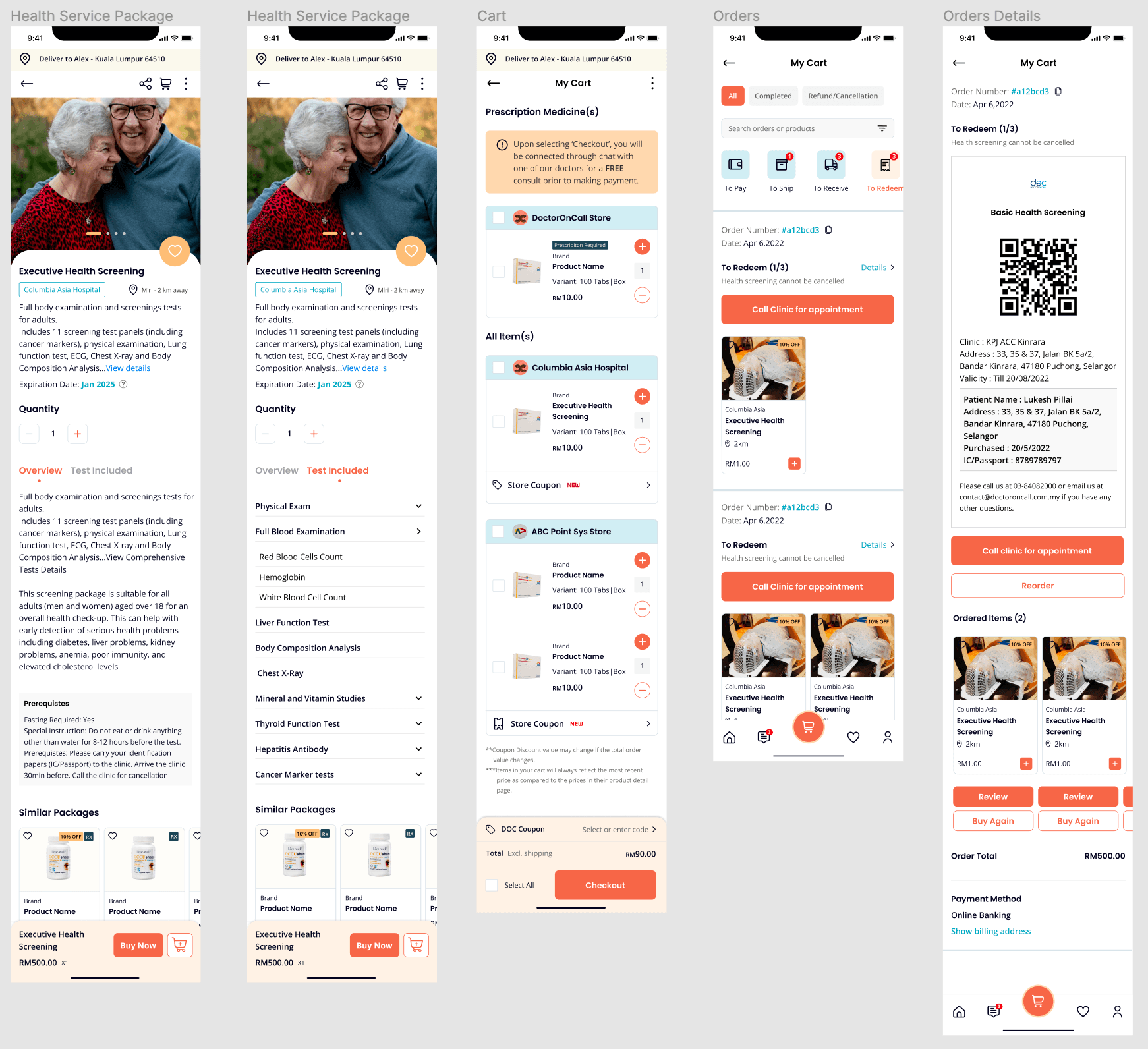
My wireframes closely resembled the final hi-fidelity output. I placed a strong emphasis on building a robust design system — one that benefits junior designers and developers alike. All prototypes were created in Figma.
Step 8 — The Wait
While developers were building the new app, I suggested to stakeholders that we implement the new experience on the legacy system first — to test the changes and gauge user response before the full build was complete.
Stakeholders agreed, and a limited release was launched. Users could access it through targeted marketing campaigns. The design wasn't quite at the standard I envisioned for the final product, but it served as a live guide to a completely new user experience.
The Results
We implemented Hotjar analytics to collect post-launch data. Based on the results, the bounce rate and drop-off rate went down significantly — validating the persona-driven design decisions and the improved information architecture.